







Background music complements a film's plot and makes it inspiring, romantic, dramatic, or energetic. There are specialized programs for adding music to videos—free and shareware, complex and simple.
While there are hundreds of foreign apps on the market, we'll tell you about 10 popular video editors and their key features.
VideoEditing
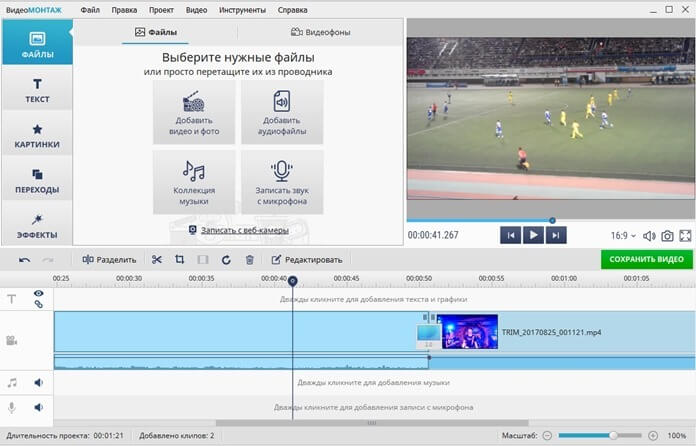
Even a first-timer can add a song to a video in VideoMONTAZH. First, click "New Project" and add the desired video file. Then, select a song—either from the built-in library or uploaded from your computer.
Overlay multiple tracks on different parts of your movie or upload one song to the entire video. You can change the volume of the video itself: click the "Edit" button, move the slider to the left, or click the speaker button to remove the original audio track entirely.
Advantages:
- built-in catalog of 200+ melodies;
- adjusting the sound level in individual areas using volume points;
- recording your own sound (from a microphone);
- separate volume control for commentary and main music;
- settings for smooth sound appearance and fading effects;
- Suitable for beginners - there are instructions for use;
- save the finished file to your computer and upload it to YouTube in a couple of clicks;
- support for any video formats.
Flaws:
- 5-day trial period;
- The free version still has a watermark.
Shotcut

You can upload videos in all popular formats and edit footage in 4K resolution. The tools are sufficient for creating a casual film—cropping, adjusting saturation and sharpness, and using mirroring. However, they're not enough for advanced editing.
Added or original audio tracks can be edited: change frequency and volume, add delays, fade-outs, and noise reduction, and apply reverb (gradually reduce the sound intensity). The overlay feature is useful if the film was shot with multiple cameras.
Advantages:
- filters for working with frequency and sound channel;
- editing the audio track - cutting out sentences and phrases, adding effects;
- crossfade option (cross-fading of sound fragments);
- work on popular operating systems - Windows, GNU, Linux, Mac;
- completely free.
Flaws:
- interface in English;
- there are no presets for uploading to social networks;
- There are no ready-made screensaver templates.
Avidemux

Cross-platform software designed for editing and converting video files. New audio tracks are added through the "Audio" tab. In "Settings," you can change the bitrate and set the track quality, and in "Filters," you can customize additional parameters.
You can work with up to four audio tracks, and choose to keep or delete the original audio from the video. To sync the overlaid audio with the video, use the slider and move it a few seconds.
Advantages:
- overlaying up to four audio tracks on one fragment;
- adapted for different operating systems (Linux, Mac, Windows, etc.);
- ready-made presets for uploading a project to different devices (smartphone, game console, etc.);
- converting a file to another format;
- free.
Flaws:
- a small number of audio filters (normalization, DRC, audio shift, etc.);
- The menu is partially Russified.
Adobe Premiere Pro
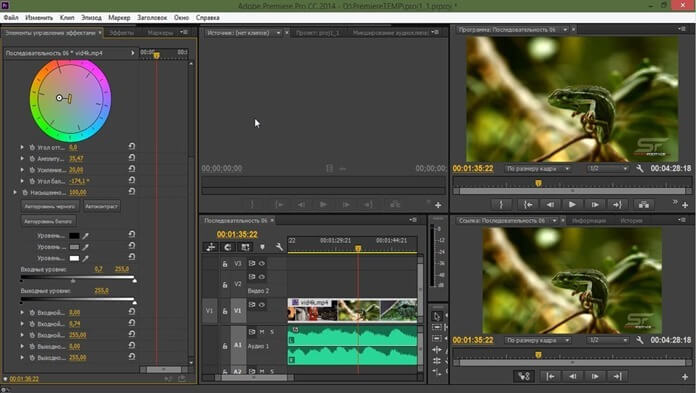
A well-known, powerful program for editing video clips and movies, offering a wide range of features. For audio adjustments, an equalizer, mixer, echo creation, and tone adjustment are available.
Record audio from your microphone, delete, or merge fragments into a single file. You can create a fail-safe option: fade the audio in at the beginning of the clip and fade it out at the end. Another option might be useful: temporarily disconnecting the video and audio.
To create a complex project, use built-in visual effects, color correction, and animated presets. Finished films are exported in resolutions up to 8K.
Advantages:
- VST audio plugins;
- 5.1 sound tracks;
- unlinking the audio and video parts of a clip;
- Sound mixer - changes the settings of a separate sound track or the musical accompaniment of the entire film;
- hot keys for control;
- adding plugins if the functionality is not enough.
Flaws:
- overloaded interface;
- high system requirements - slows down on weak computers;
- 7 days of free use and high cost of the paid version.
VideoMASTER
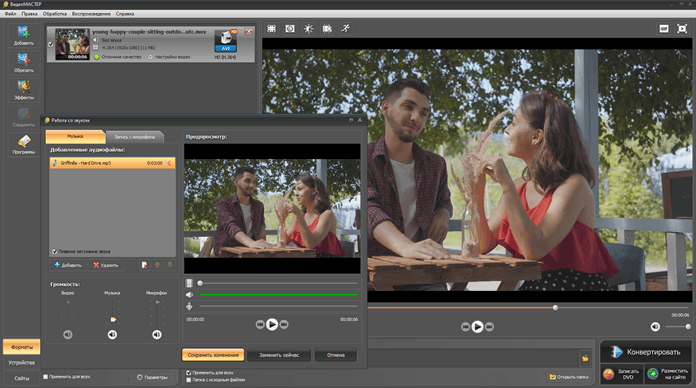
This app lets you convert video files to other formats and perform basic processing in just a few seconds. It works with virtually any format, even the rarer VOB or OGG formats.
Add background music, mute the original track, record sounds or speech from a microphone—all the essential options for working with voiceovers are available. The final project can be saved in any format, burned directly to disc, or uploaded online.
Advantages:
- Extract audio from video and save it with one click;
- work with different audio formats (FLAC, MP3, M4A, AAC, OGG, WMA);
- simple and Russian-language;
- low system requirements.
Flaws:
- It's more of a converter than a video editor—there are no filters for working with sound or other features;
- paid program with a 10-day demo version;
- Works only on Windows.
Ulead VideoStudio
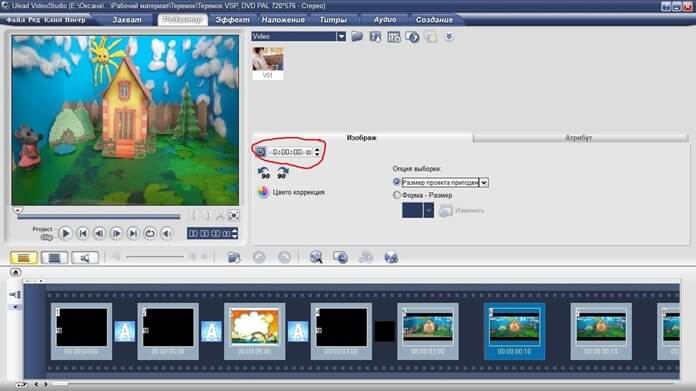
This professional app not only lets you learn how to add music to a video, but also perform other manipulations: add effects, trim film fragments, and change playback speed.
Standard audio settings are also available: recording sound from a microphone, adding multiple tracks, applying effects (echo, normalization, noise and hiss suppression, volume equalization).
Directly insert audio files of any format (AVI, WMA, etc.) or import from audio CDs.
Advantages:
- surround sound (Dolby Digital 5.1 format);
- adding voice comments from the microphone;
- creation of videos, slide shows and DVDs - with menus, titles, music and effects;
- Presets for creating clips (for smartphones, iPods and other devices).
Flaws:
- the interface is not in Russian;
- Free for the first 30 days only;
- It takes time to master.
VirtualDub
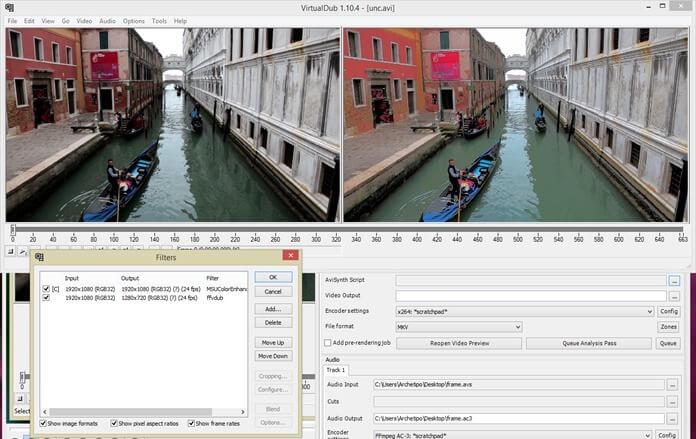
A functional editor that lets you trim or merge movie fragments, use filters, add music, and convert files to other formats. It primarily works with AVI, but also loads other formats, such as MPEG, MPG, and more.
As for audio, there are plenty of features for amateur editing: synchronizing video and audio, replacing audio tracks, reducing noise, and saving audio separately from video. However, working with multiple audio tracks is not possible—you can only replace the original one.
Advantages:
- Time Stretch filter – track synchronization;
- saving audio and video streams without re-compression (lossless compression);
- recording an audio track in a specific format;
- free application;
- open source code.
Flaws:
- no recording from microphone;
- specific and unusual interface;
- support for a limited number of video formats.
Vegas Pro
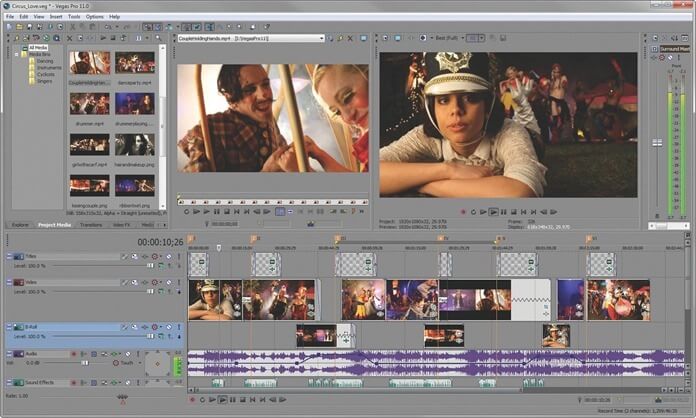
A powerful app for video/audio editing and clip editing. Professionals use it to create TV shows, films, and music videos, while novice editors learn how to apply filters, add text, and create animations.
The audio module is quite extensive: you can overlay an unlimited number of audio files, mix tracks, and replace the original. You can also add voiceover to your clip by connecting a headset.
Advantages:
- creation of projects with stereo sound or surround sound in 5.1 format;
- combining several audio tracks into one group;
- setting the volume and stereo panorama for each track;
- export of finished material in various video formats (AVI, MPEG, etc.);
- Synchronize projects with the cloud – collaborative work between several people is possible.
Flaws:
- difficult for beginners;
- there is no Russifier;
- expensive (free 30-day version);
- Compatible with Windows only.
Pinnacle Studio
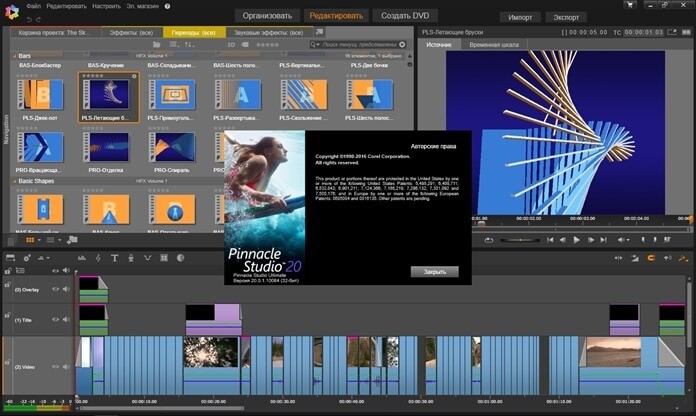
This semi-professional video editor is less well-known than Vegas Pro and Adobe Premiere, but equally powerful. Its intuitive, Russian-language interface makes editing easy for beginners.
The audio is displayed on three tracks: audio, voiceover/sound effects, and music. This helps with mixing: if you need to overlay a background track while someone is speaking and simultaneously add another sound, such as applause.
You can trim audio tracks, change playback speed, combine different fragments, and add recorded audio from a microphone. Transitions, filters, intros, and subtitles help make your video more visually stunning.
Advantages:
- support for 5.1 surround sound;
- multifunctional timeline editor for audio tracks (cutting/trimming, recording from disk, changing volume, audio effects, etc.);
- iZotope Music & Speech Cleaner - noise removal option;
- microphone recording;
- low system requirements.
Flaws:
- crashes when using the rendering option (combining all fragments into one file);
- limited trial period.
VideoPad
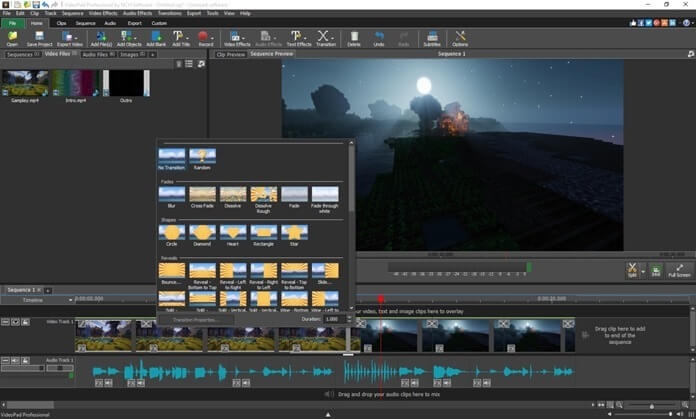
The app is suitable for professional editing: work with chroma key, 2D and 3D projects, and 360-degree (volumetric) video. But you can also perform simple operations like splicing, editing, and cropping. Add titles, transitions, or annotations in just a few clicks.
Among the audio settings, you can add a separate track to a clip and apply effects to it. You can record your own commentary on the video or enable speech synthesis.
Advantages:
- changing the volume of the entire track or individual fragments;
- audio settings - fading in, fading out, separating audio from video, etc.;
- saving sound to a separate file;
- support for all popular audio and video formats;
- Direct export of a clip to YouTube;
- cross-platform - works with different operating systems (Windows, Mac);
- easy to learn.
Flaws:
- The free version contains watermarks and limitations on the duration of software use;
- Setting up the effect in a separate window means you have to switch between screens.
In conclusion
To add audio to video, you don't need to buy an expensive app or learn professional editing skills.
For simple tasks like adding audio, removing sound, or adjusting the volume of an audio track, you can download free video editors. Avidemux or Shotcut are good options. VideoMONTAZH is a good option, but it requires a subscription.
Advanced users need more advanced audio settings, such as spectacular transitions and surround sound. In this case, consider professional and paid products, such as Pinnacle Studio, Adobe Premiere Pro, or Vegas Pro.